Note
The screenshots on this page show the panel in Spanish, because they are captured once, from the Spanish interface. Your panel shows the same screens with the English labels used in this text — the buttons are in the same place.
Create a mailbox
What you get: a tunombre@tudominio.com address you can read from your browser, your mobile or the email program you have always used.
Before you start
Warning
The Dev plan (free) does not include email. Its websites run on hostbrid.dev subdomains and have no mailboxes. To get email you need a paid plan.
You also need the mail domain to exist. If you signed the site up on a paid plan, it was created automatically along with the site: “Mail domain” appears in the list of what gets created.
If you only want email, with no website, and your domain’s DNS is somewhere else (Cloudflare, your registrar…), see Email on your domain without moving your DNS: it is ordered separately and you do not have to change the nameservers.
Steps
In the Hosting Panel, on your site’s row, click Email.

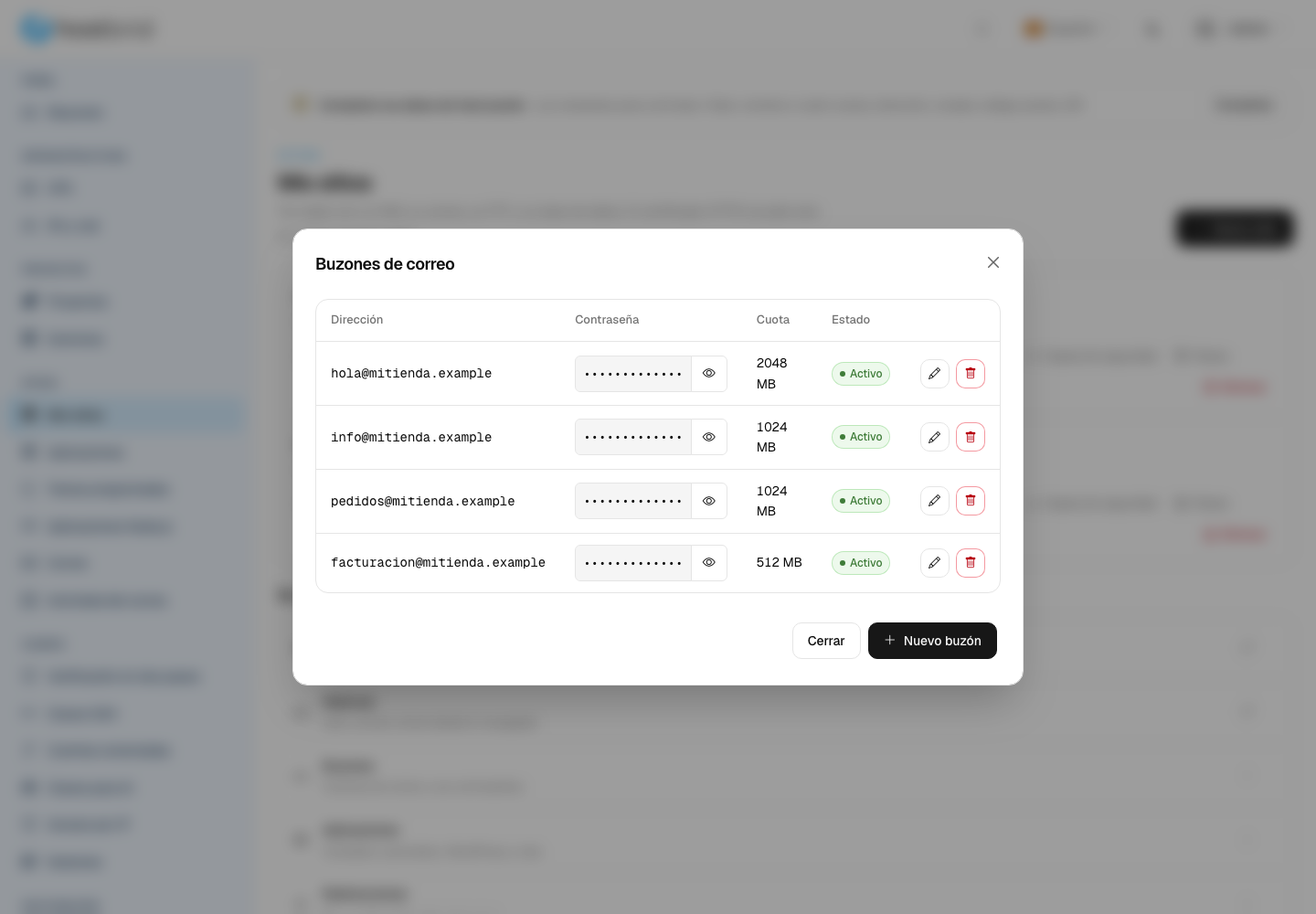
Mailboxes opens, showing the ones you already have. Click New mailbox.
Fill in the Create mailbox form:
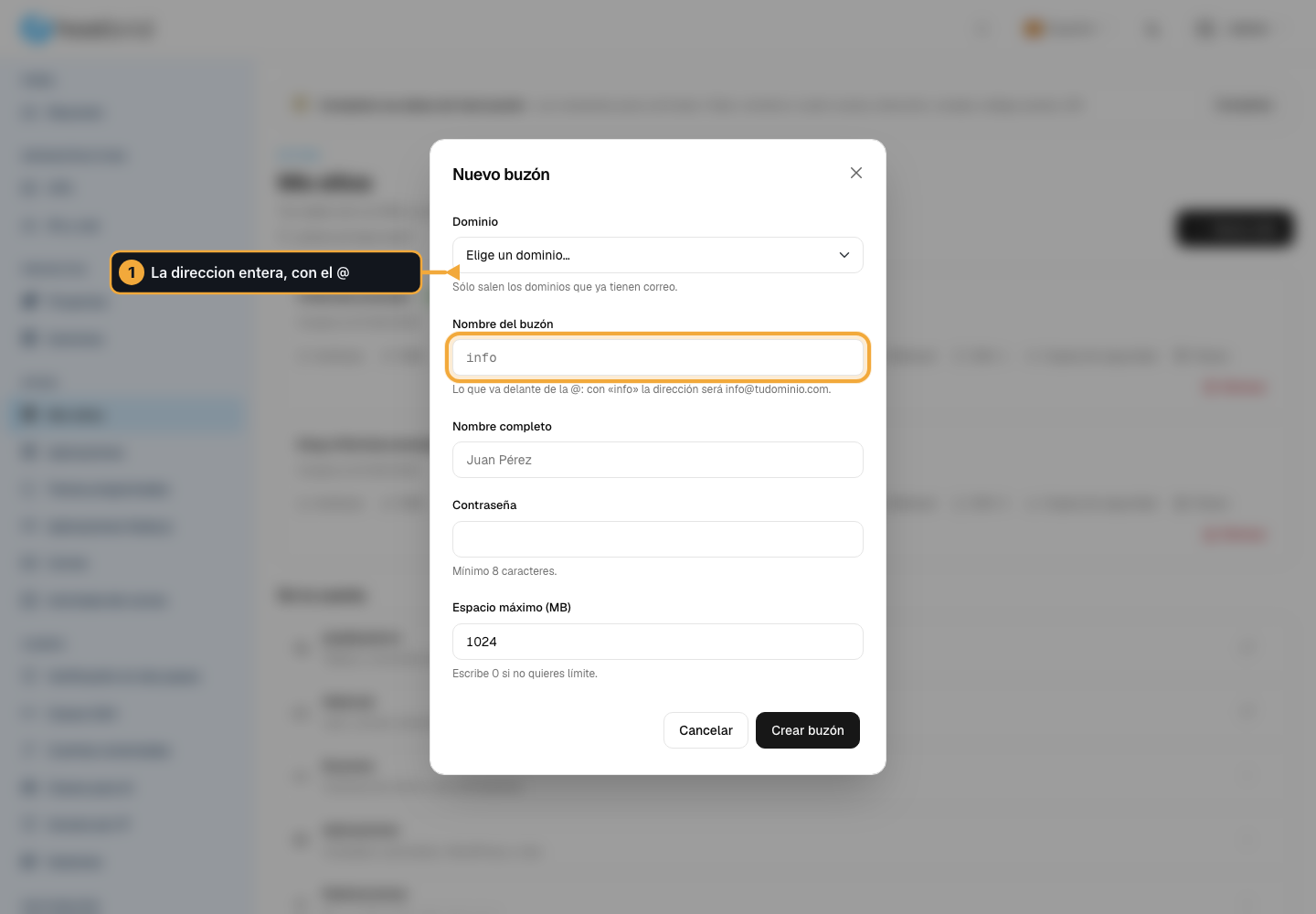
Email domain — pick your domain. If the dropdown says “You first need an email domain to be created”, open a ticket: it still has to be created.
Username (local part) — what goes before the @. For example
info. Letters, numbers, dots and hyphens only.Full name — optional. It is the name people see when they get an email from you.
Password — long, and not one you use anywhere else. This mailbox is exposed to the internet and will get attempts to guess it.
Maximum space (MB) — how much storage it can take up.
0means unlimited, within your plan’s storage.
Click Create mailbox.
How you know it worked
The address shows up in the list of mailboxes, with its quota and an active status.
To really test it, click Webmail on your site’s row: your email opens in the browser. Log in with the full address (info@tudominio.com, not just info) and the password you have just set.
Send yourself an email from another account of yours and check that it arrives.
Reading it on your mobile or in Outlook
Add the account in your email program using the full address and the password. Most programs find the server settings on their own.
If it asks you for the details by hand, or if it keeps asking for the password over and over, open a ticket telling us which program you use: we will send you the exact values.
Getting another address’s email in one mailbox
You do not always need a new mailbox for ventas@tudominio.com. An alias forwards to another mailbox, takes up no storage and does not count towards your mailbox quota.
Note
Aliases cannot be created from the panel today. Ask us from , telling us the address you want to exist and the mailbox where you want to receive it, and we will set it up for you. If you are automating, they are in the API: /hosting/api/rest/mail-aliases/ (see The API, for automating your account).
Use a mailbox when you want to log in to that address separately, and an alias when you only want the email to land somewhere you already log in.
Common problems
- Nothing reaches me
Almost always the domain does not point here yet, or the mail records stayed with your previous provider. Go over Point your domain here.
- My emails land in the spam folder of whoever receives them
That is a matter of the domain’s reputation and its mail records. Open a ticket: we look into it ourselves.
- “You have almost run out of space”
The warning at the top of the panel counts files and email together. Empty the webmail’s trash or move to a plan with more storage.