Note
The screenshots on this page show the panel in Spanish, because they are captured once, from the Spanish interface. Your panel shows the same screens with the English labels used in this text — the buttons are in the same place.
Create a website
What you get: a website running on your domain, with its certificate, its DNS, its database and its FTP access all created in one go.
Before you start
Check at the top left of the Hosting Panel which plan you have. What the form asks you for changes:
Plan |
Which domain you can use |
|---|---|
Dev plan (free) |
A subdomain of |
Paid plan |
Your own domain. Mail domain included. |
If you are on the Dev plan and want to use your own domain, change plan first (Cancel a plan explains where plans are managed).
Steps
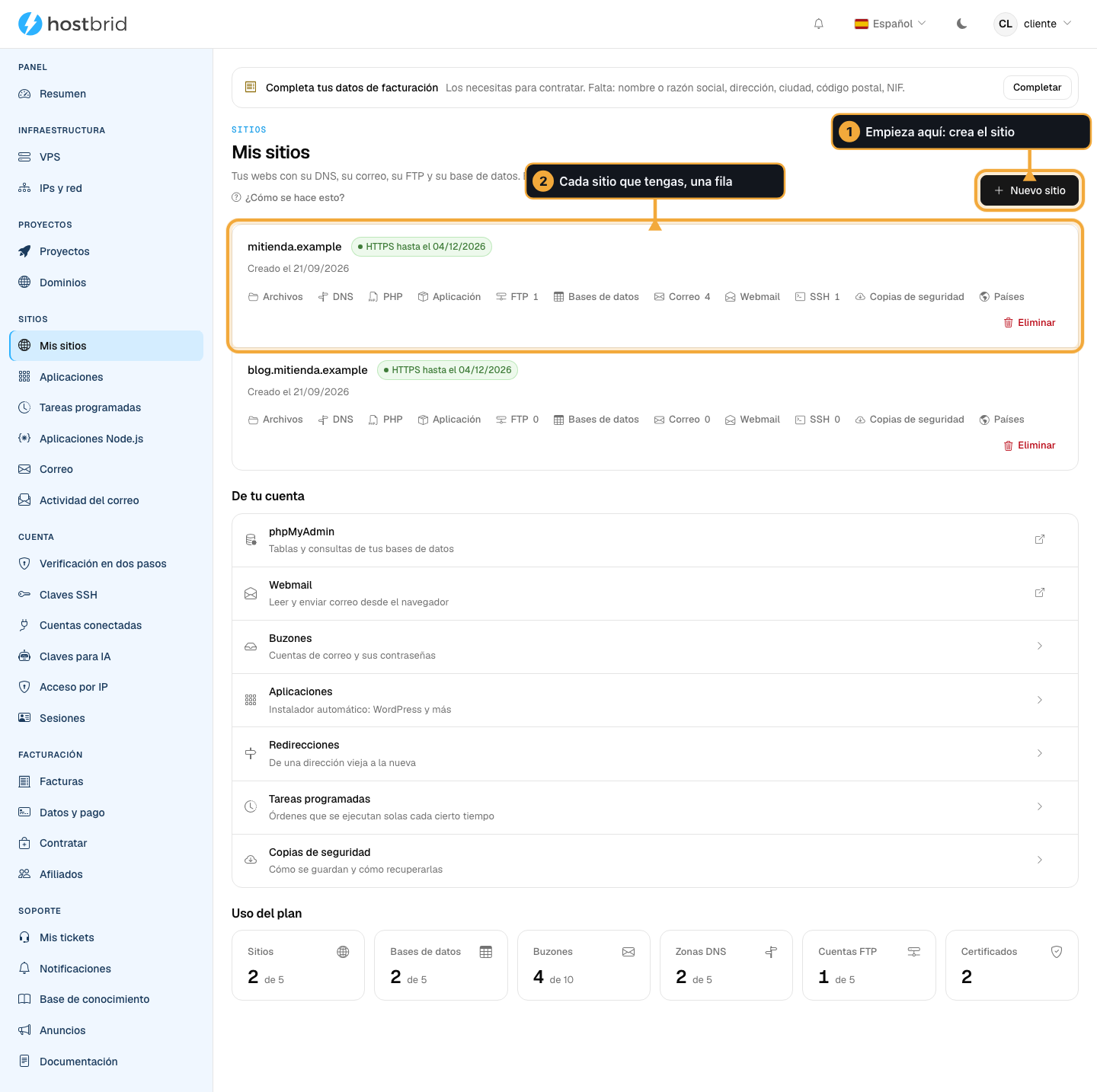
In the Hosting Panel, click New site, at the top right.
If you don’t have one yet, you will see “You don’t have any site yet” in the middle and the Create the first one button. It works just the same.
Enter the domain.
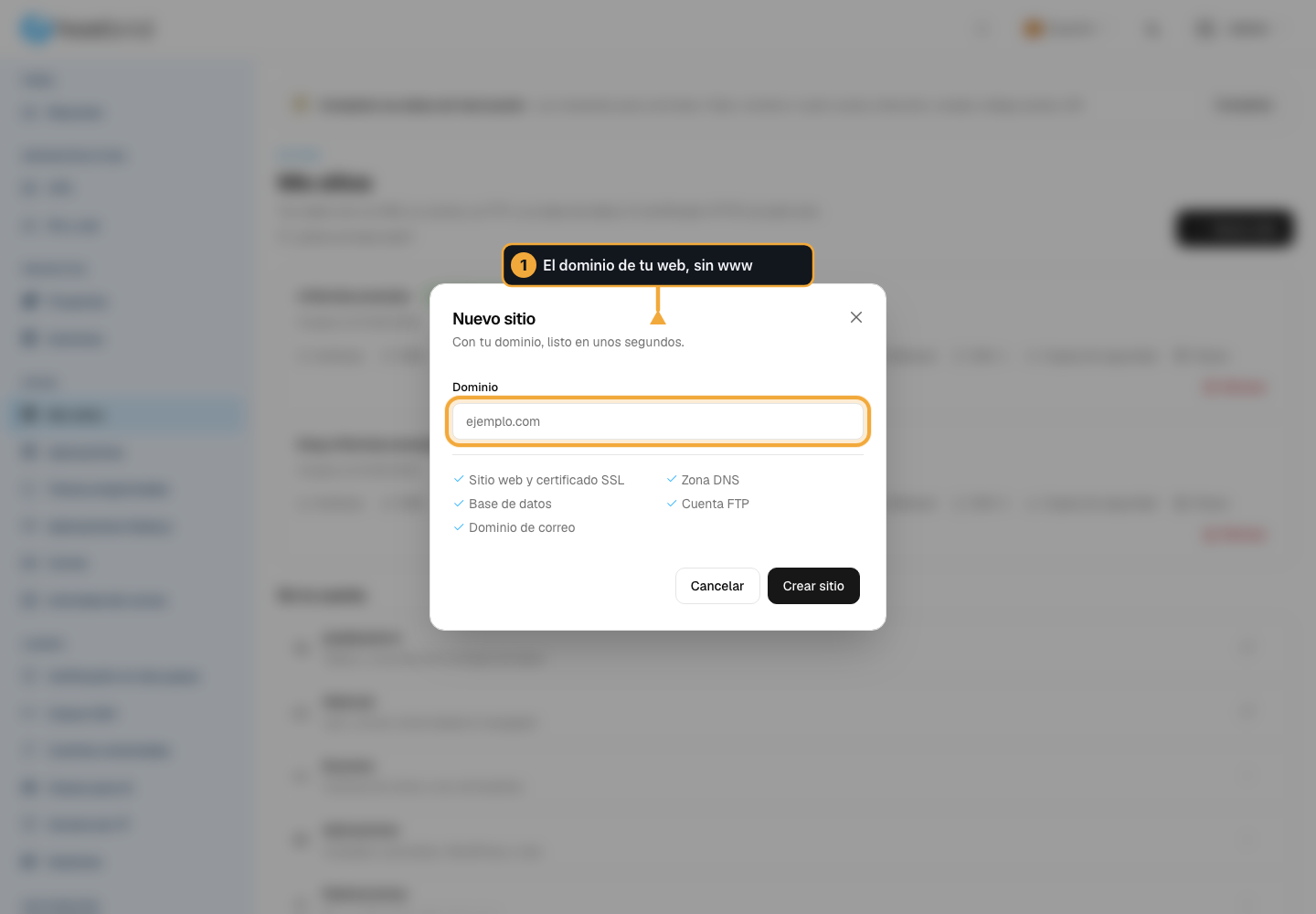
Paid plan: in Domain, your full domain, without
wwwand withouthttps://. For examplemidominio.com.Dev plan: in Your site’s name, the name only. The panel adds the
.hostbrid.dev. Letters, numbers and hyphens.
Check the list of what is about to be created. Five things:
Website and SSL certificate
DNS zone
Database
FTP account
Mail domain (paid plans only)
Click Create website and wait without closing the window.
The button changes to Creating… and a please-wait notice appears below it. It takes a few seconds because the five things on the list are really being created.
How you know it worked
The page reloads on its own and your domain appears in the site list, with its Files, DNS, PHP, Application, FTP, Databases, Email, Webmail, SSH, Backups, Countries and Delete buttons.
The three you will use most after creating the site have a guide of their own: Point your domain here (the DNS button), Change your PHP version (PHP) and Create a mailbox (Email).

If something could not be created, a notice appears listing what failed and the site is created anyway. Do not do it again: whatever is missing can be created later from the section it belongs to.
It is normal for “no certificate yet” to show next to the domain. The certificate is issued once the domain points to our servers, and that is the next step.
What to do now
If the domain does not point here yet: Point your domain here.
If you want WordPress: Install WordPress.
If you are going to upload your site by hand, use the site’s Files button.
Common problems
- “You’ve used the three sites of the free plan”
The Dev plan goes up to three. To create more, or to use your own domain, you have to move to a paid plan.
- The “New site” button does not appear
Your user is set to read only within the organization. Ask whoever administers it to change your role.
- It rejects the domain I type
It has to be a full domain with a dot:
midominio.com, notmidominio. And withouthttp://in front.